The whole show.
One app.
LnW Standalone has its own audio engine. Drop in your stem folders, send the click to the band and the songs to front of house, and press Space.
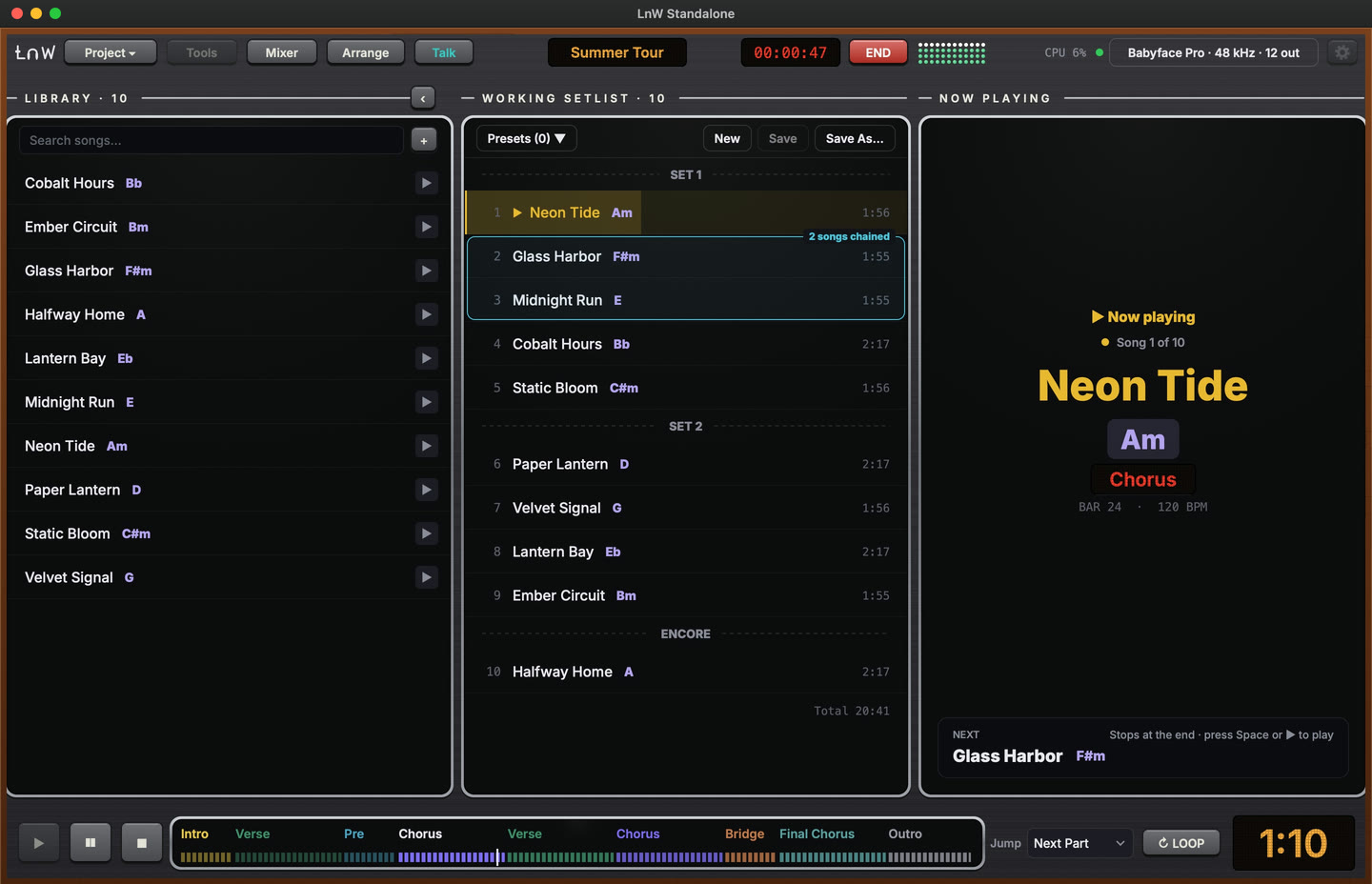
Summer Tour · 10 songs · Neon Tide playing, key of Am, chorus at bar 24.
Click in their ears. Songs to the room.
Every song keeps its own mix: group and stem faders, pan and mute are recalled when the song is cued. Each group goes to its own outputs, so the band gets click and cues while front of house gets the song.
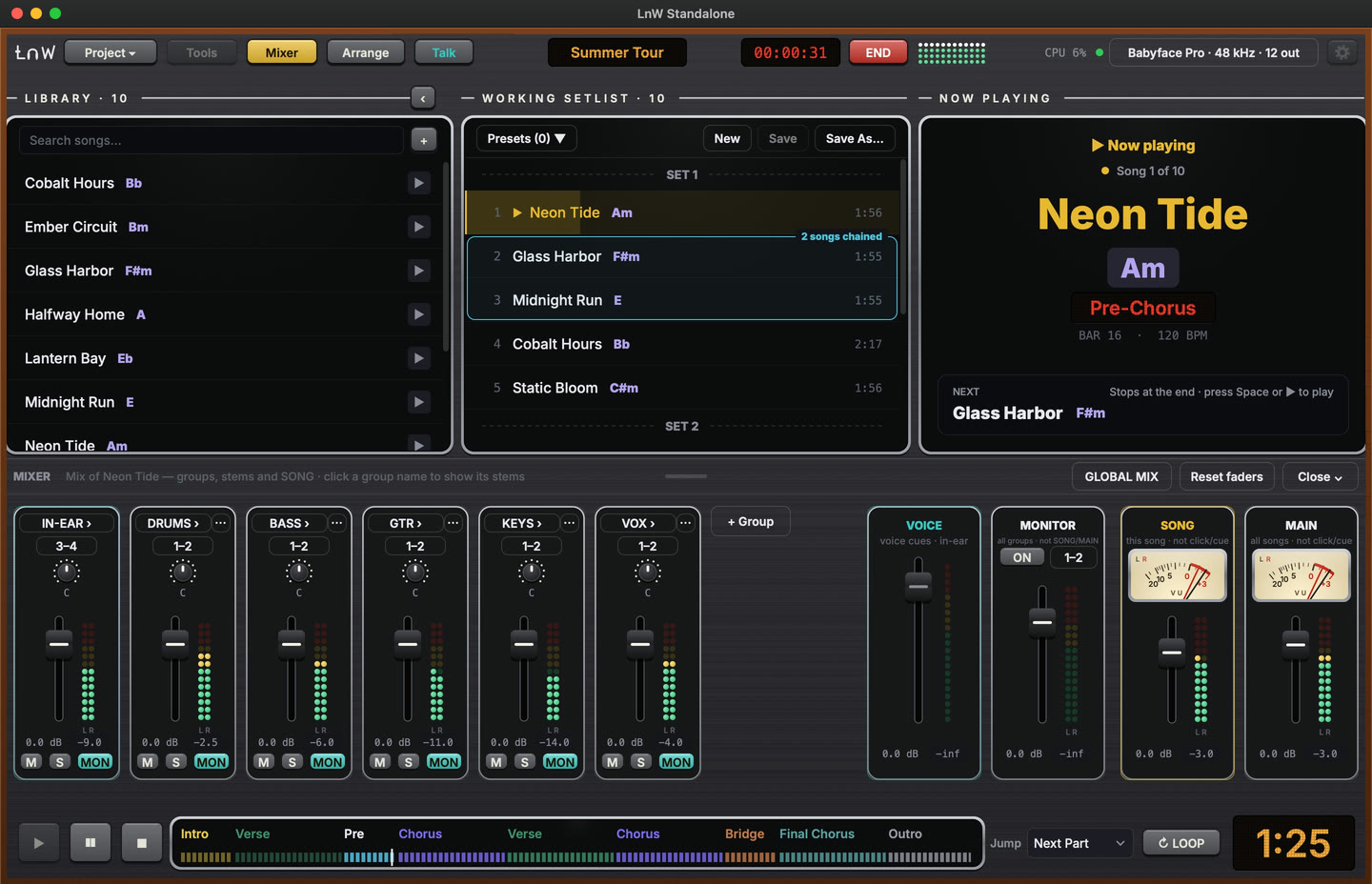
Every song gets its own mix.
The ballad needs less drums. The opener needs more guitar. Set it once per song, and LnW recalls it the moment that song is cued. The band’s click stays where they like it.
- STEMSEach file in each song, its own level, pan and mute
- GROUPSDrums, bass, vocals… per song, or one mix for the whole set
- SONGOne fader for the whole song. Click and cues untouched
- MAINThe whole set, every song at once. Click and cues untouched
Example levels. Tap a song to cue it.
Fix the song without opening a DAW
Sections, tempo changes and ramps, an app-made click, extra tracks. Edits never touch your stem files.
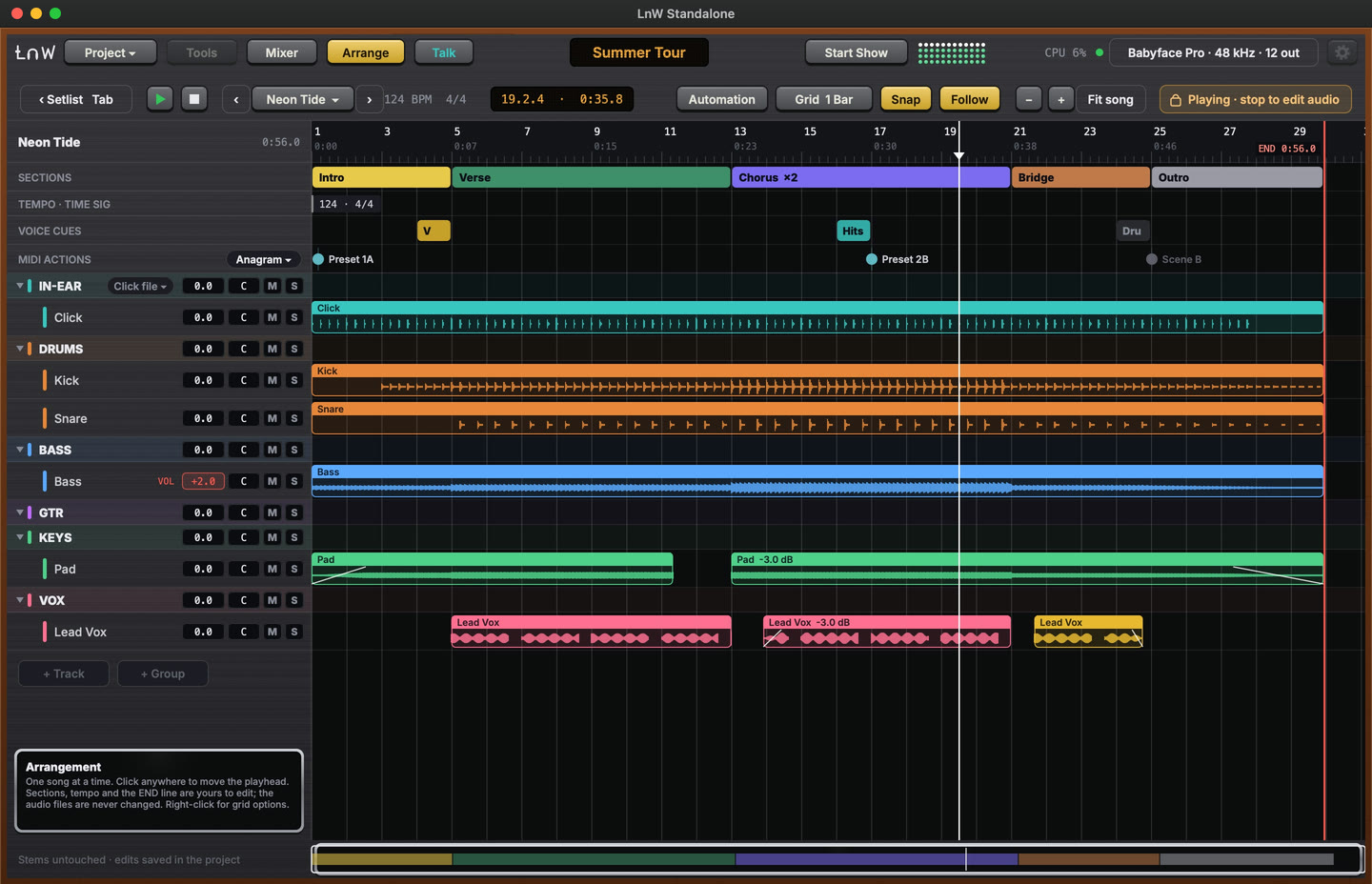
Your show comes with you.
Standalone opens the Live Set you play today. Your set and audio files stay exactly as they are, so you can go back any time.
No Live Set? Start from stem folders in WAV, AIFF, FLAC or MP3.
- 1Open your Live SetImport an Ableton Live Set or a LnW Playback project. Read only: nothing in your set changes.
- 2Everything lands in placeSongs, sections and tempo from Live. From LnW Playback also:Setlist orderPresetsLabelsAuto-play linksSong keysNotesMIDI ActionsVoice Cues settings
- 3Press SpaceSame show, one app. Copy the audio into the project folder and it moves to a second Mac as one folder.
More for every show
Tap a row to open it.
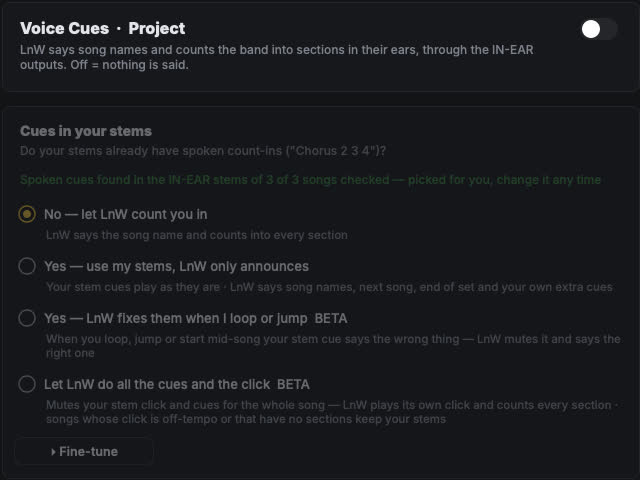
Voice Cues + BroadcastCues in the band’s ears
LnW says the song name, counts the band into every section and calls the next song in a chain — through the IN-EAR outputs. Already have spoken cues in your stems? Keep them, and let LnW fix them when you loop or jump. Broadcast speaks a typed message in the band’s ears after the count-in.
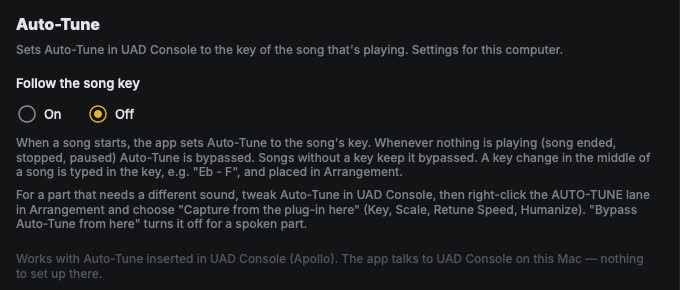
Auto-Tune follows the keyUAD Auto-Tune set for every song
When a song starts, LnW sets Auto-Tune in UAD Console to the song’s key. When nothing is playing, Auto-Tune is bypassed. A key change in the middle of a song goes on the song’s timeline.
Jump & loop on the barChange the song on the fly
Click a section name and the song jumps there — on the next part or the next bar, always in time. Press LOOP and the part you’re in repeats until you let it go. Songs you link run straight into each other.
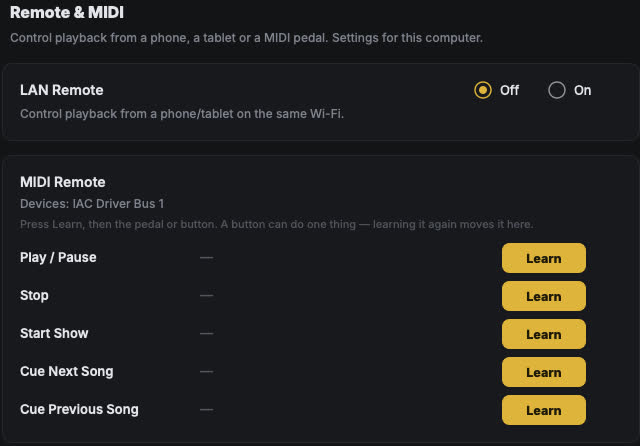
Phone, Pad & MIDI remoteYour tablet becomes a stage pad
Turn on LAN Remote and scan the QR with your phone: play, cue and jump to sections. The Pad Controller gives a tablet big buttons you arrange yourself. Or learn a MIDI pedal for Play/Pause, Stop, Start Show and the next or previous song.
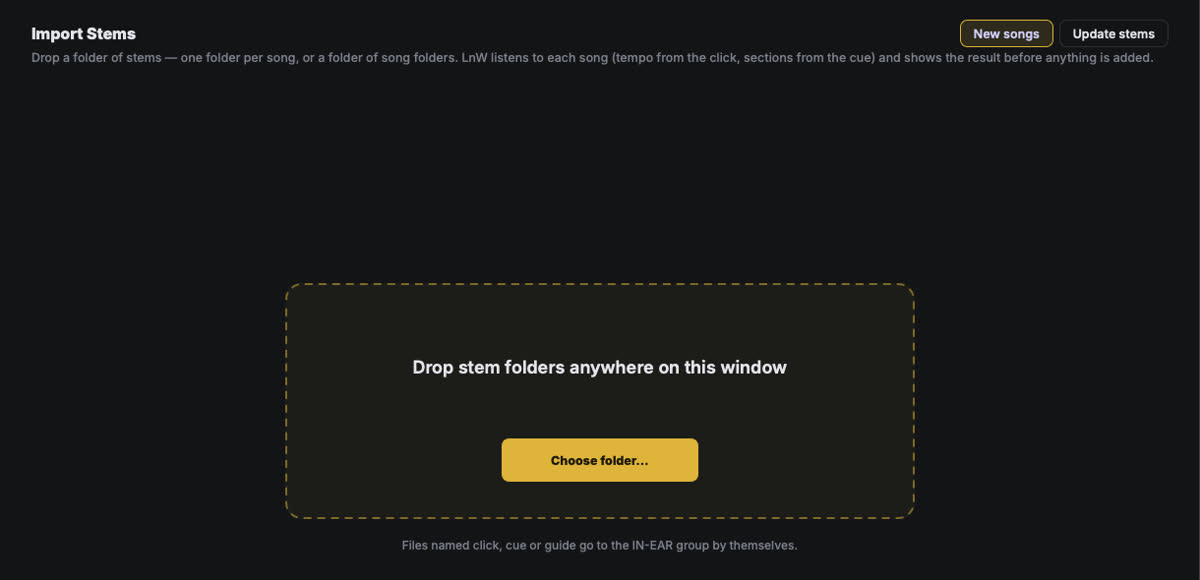
Import StemsAdd a new song to the show
Drop a folder of stems — one folder per song, or a folder of song folders. LnW listens to each song (tempo from the click, sections from the cue) and shows the result before anything is added. Files named click, cue or guide go to the IN-EAR group by themselves.
Setlist from anywherePaste it from the group chat
Copy the setlist from the group chat and press ⌘V. LnW matches every line to a song — near-miss spellings too — and shows you the list to check before it’s used.
MIDI — your pedalboard follows the songPresets change with each section
Put preset, scene or tuner changes on the song’s timeline. As the song plays, LnW sends them to your guitar or bass processor right on time — even after you jump to another section.
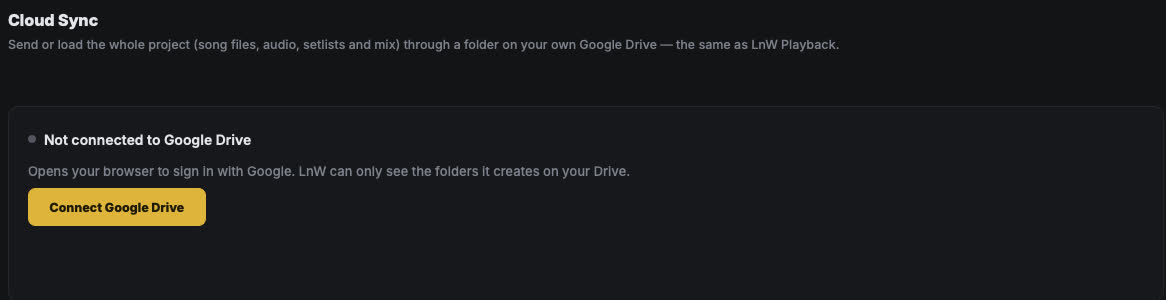
Cloud SyncFrom your home Mac to the venue
Send or load the whole project — song files, audio, setlists and mix — through a folder on your own Google Drive. Each time, pick a direction: send from this Mac, or receive on the other one.
Backup MacA second Mac, in step
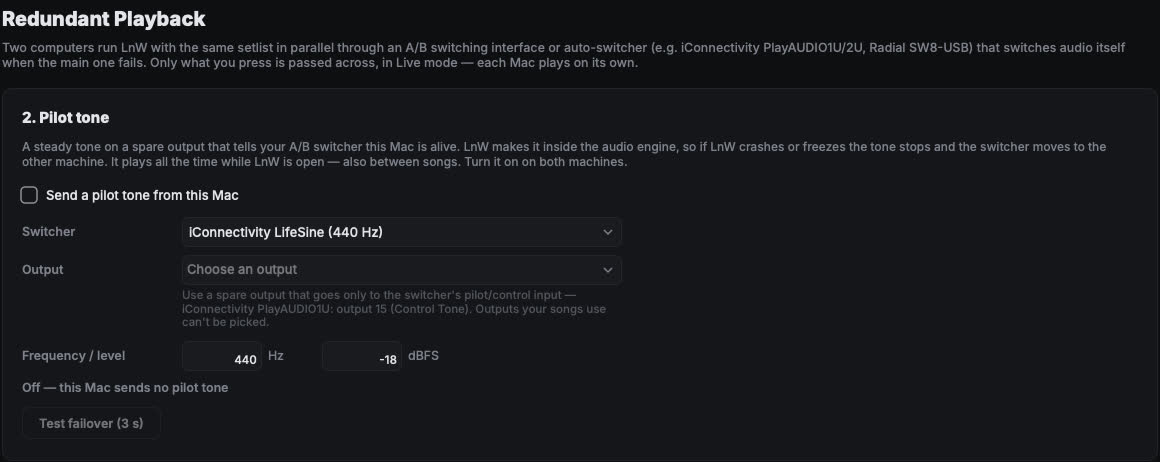
Run the same show on two Macs through an A/B switcher. What you press on the main Mac is passed to the backup over the network, and each Mac plays on its own — so the switcher can move to the backup if the main one fails.
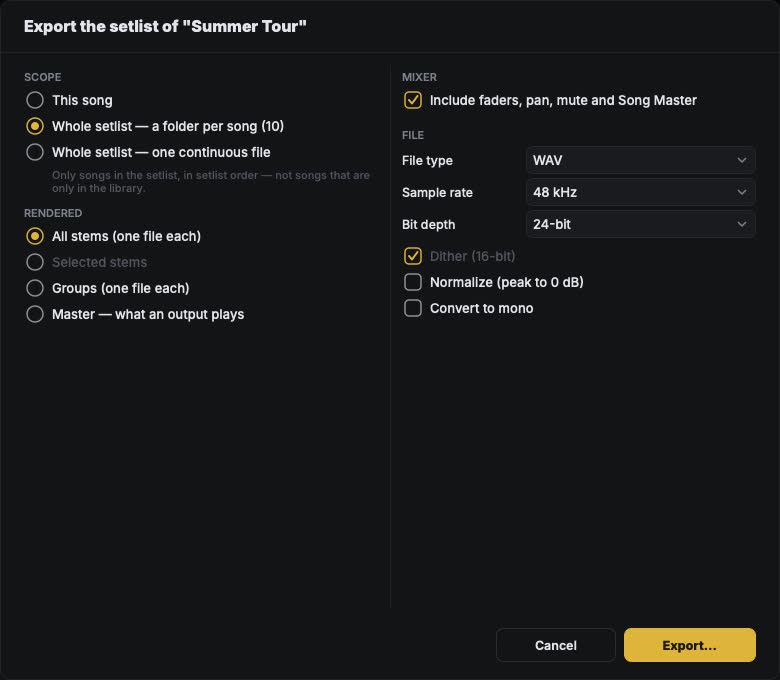
ExportRender a song, the set or the stems
Render one song or the whole setlist — a folder per song or one continuous file. Pick all stems, selected stems, groups, or the master of an output.
Try it with your own show. Every feature, free for 7 days. No card needed.
How the trial works