Stems in. Live Set out.
Run the show.
Two apps that work as one. LnW Builder makes the Ableton project from your stem files. LnW Playback runs the show from it.
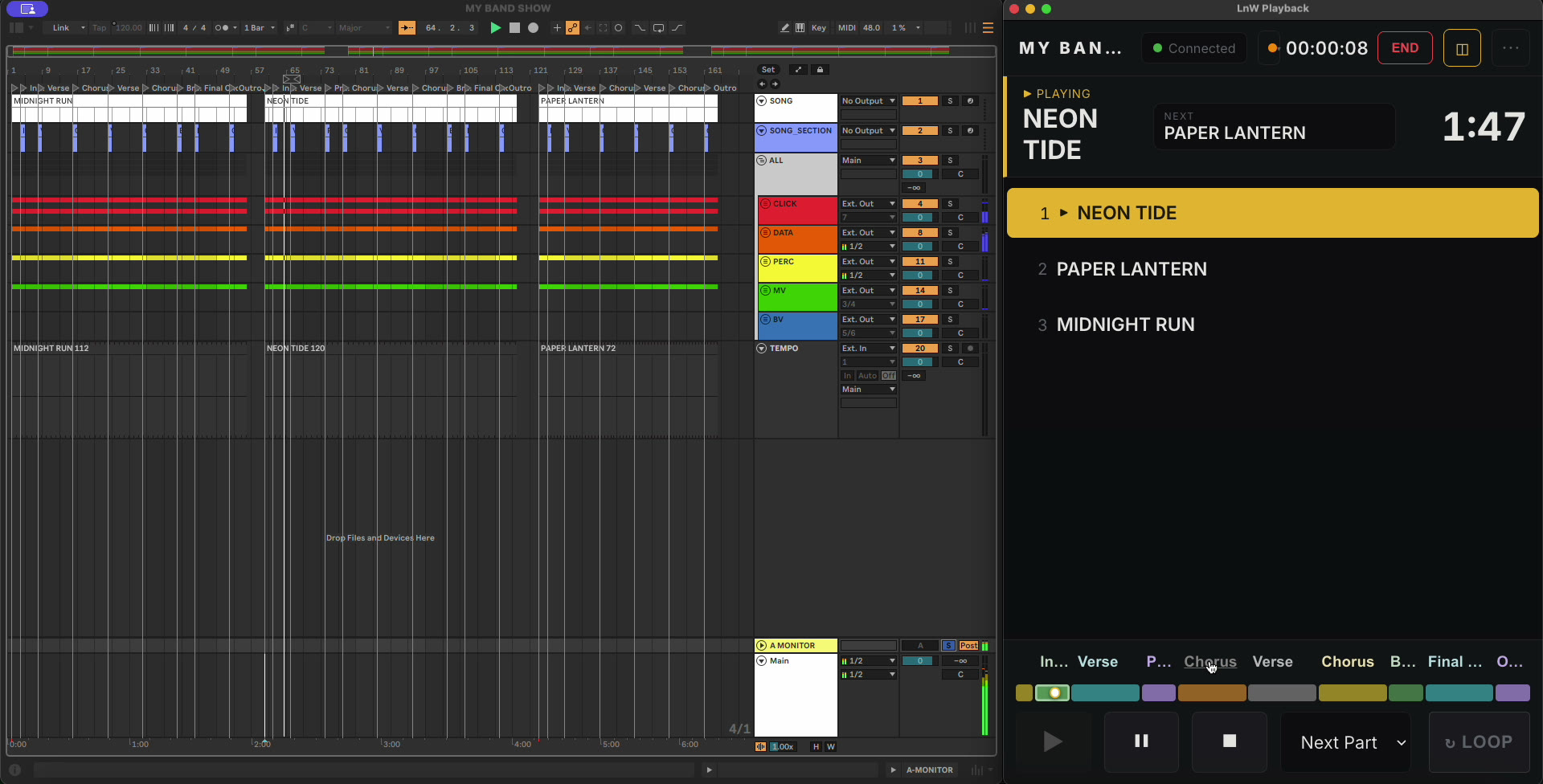
Performance View · Live on the left, LnW Playback on the right.
A show-ready Live Set in minutes
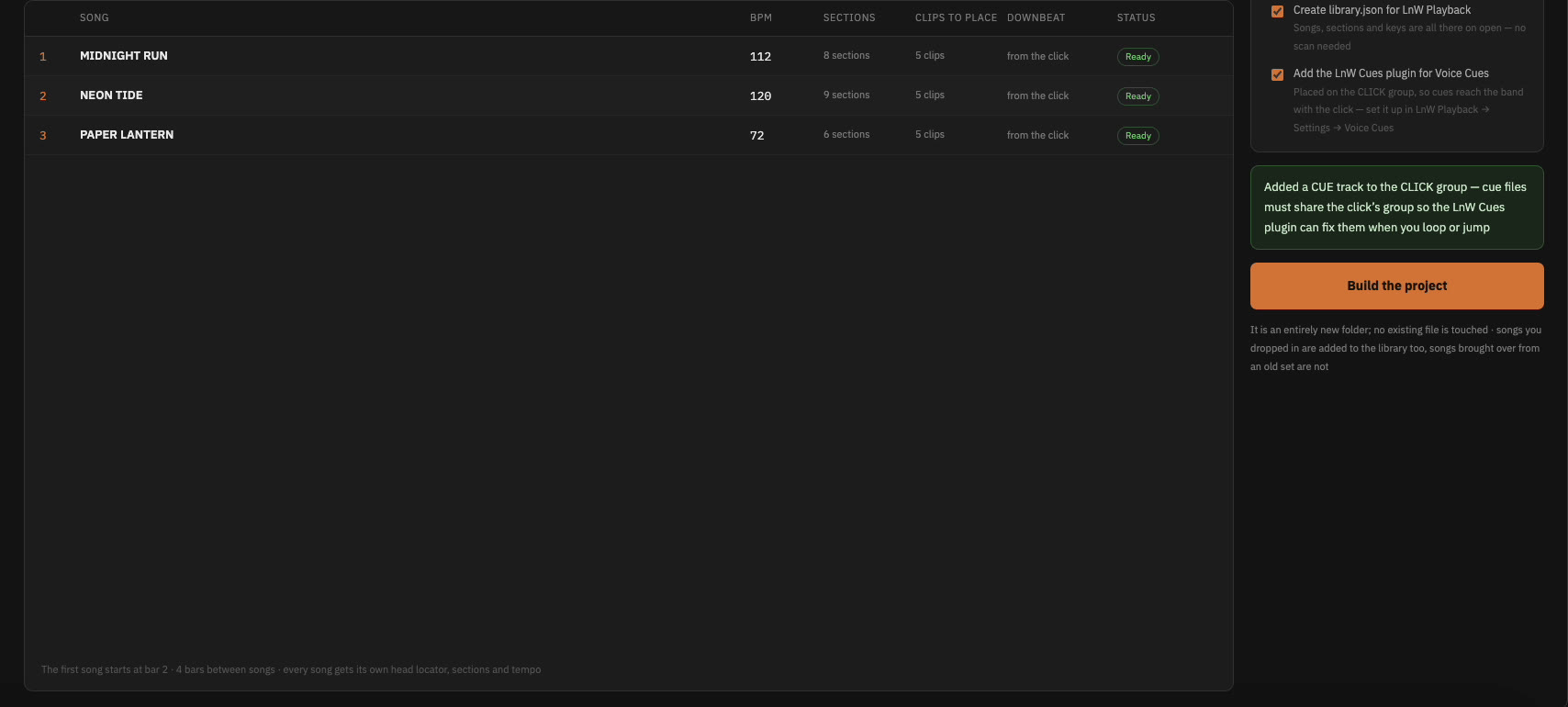
Drop the show folder. Builder reads the click for the BPM and the cue file for section names, then lays every song out with locators, groups and routing.
A show screen you can read from the drum riser
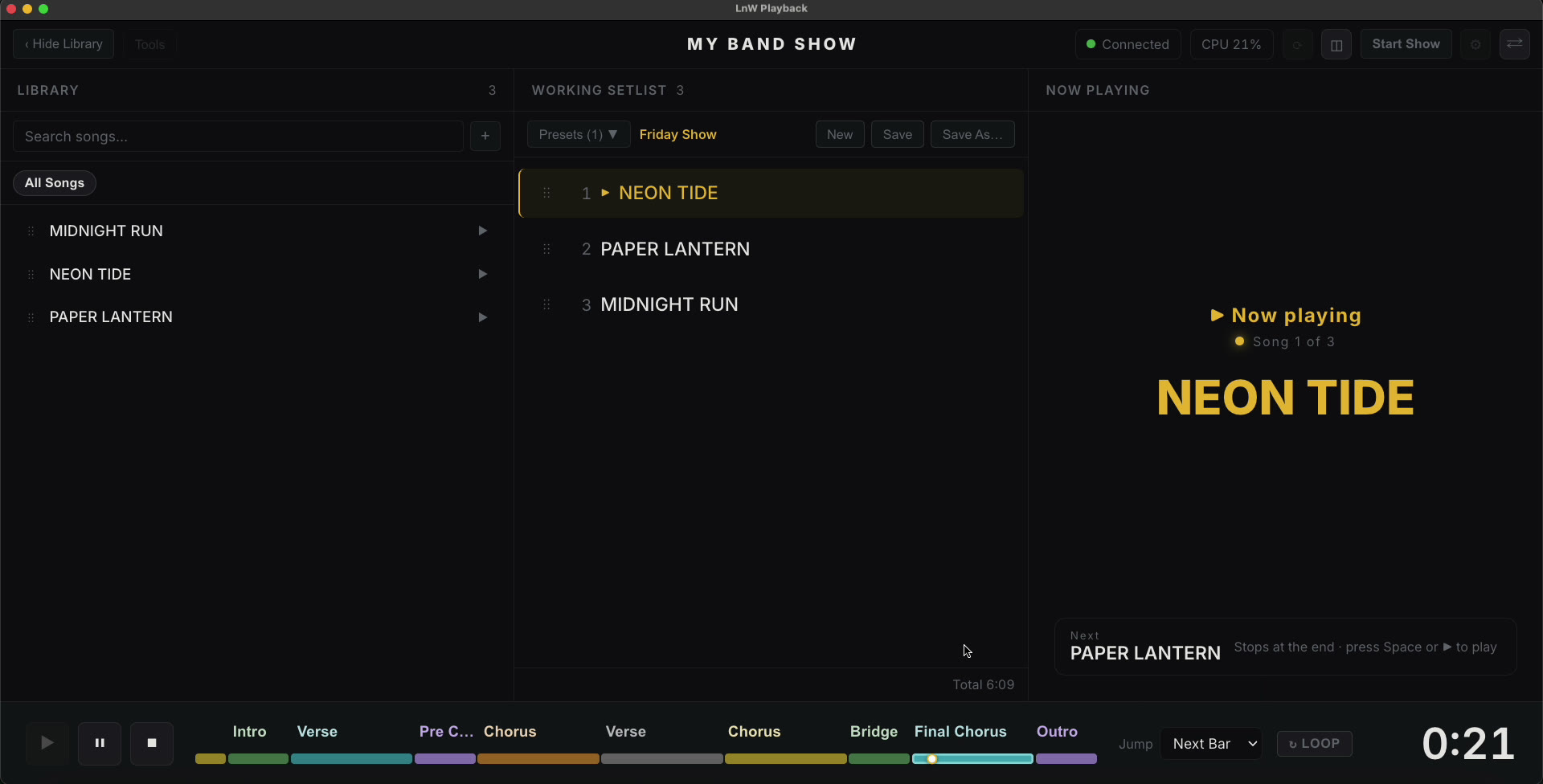
Setlist in the middle, the song and time left in big type, sections along the bottom. Jump, loop or skip without touching Live.
More for every show
Tap a row to open it.
Setlist from anywhereChat, QR or paper
The setlist arrives in the group chat, as a QR, or printed on paper. Paste it, or hold it up to your Mac’s camera — LnW Playback matches every line to a song in your Live Set. Check it, confirm, play.
Voice CuesCues in the band’s ears
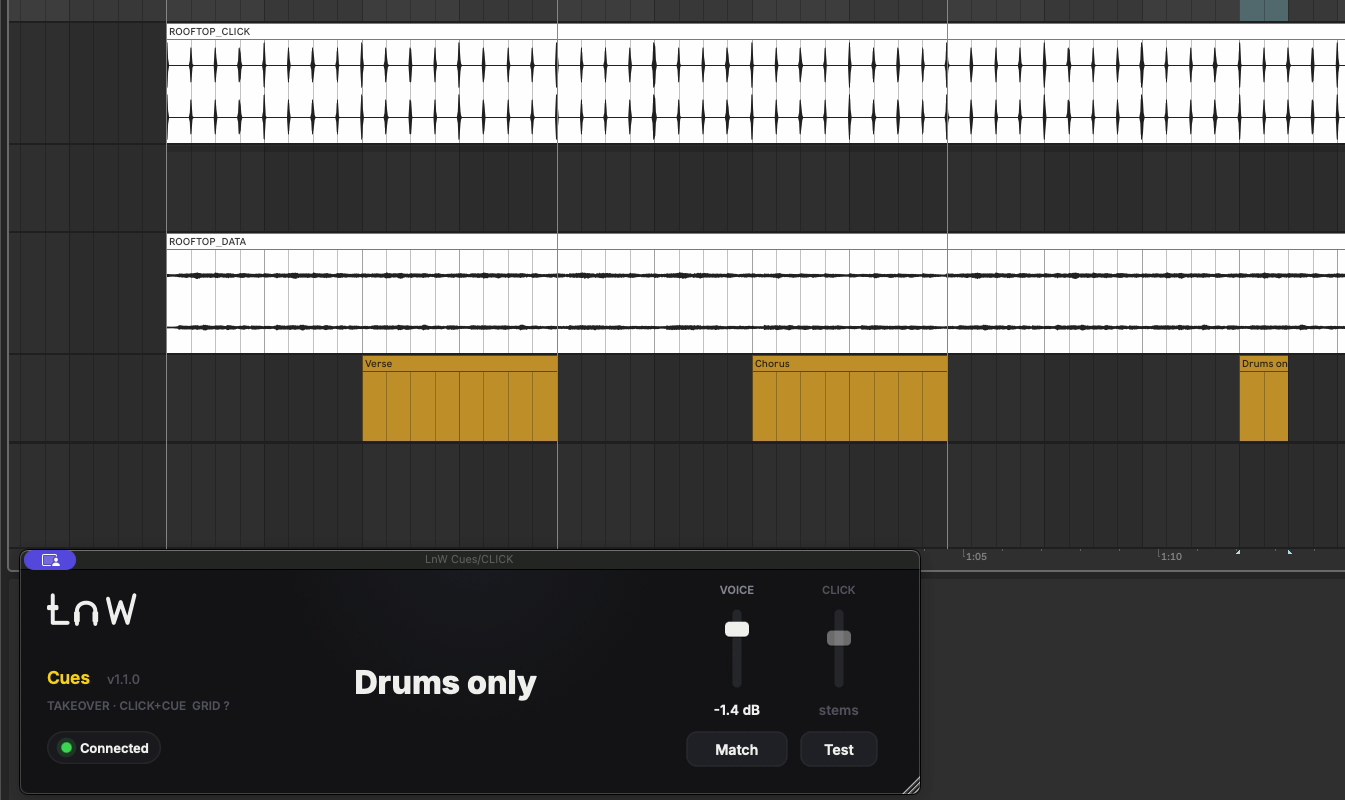
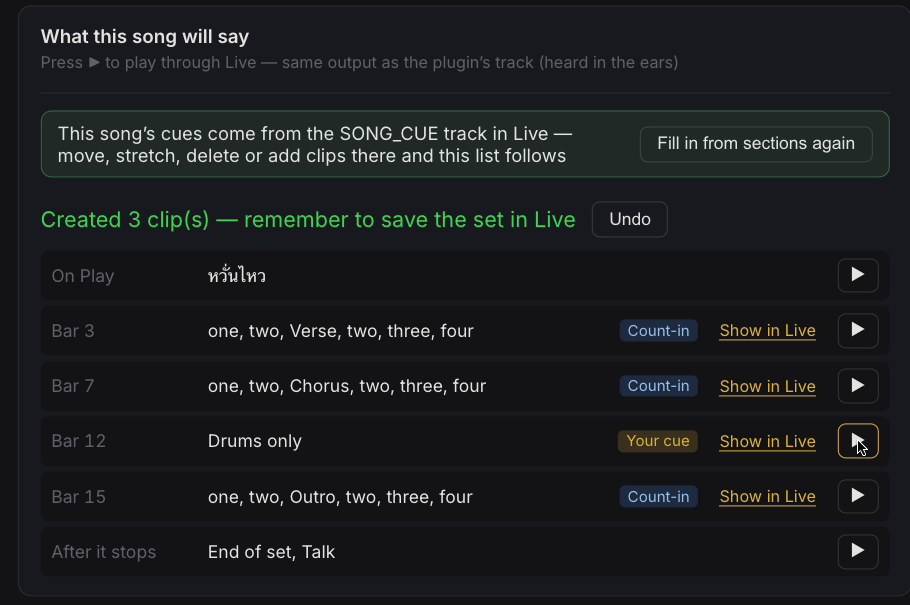
No cue stem to record or fix. LnW Playback says the song name when you press Play, counts the band into every section — even when you loop or jump — calls the next song in a chain, says anything you type at the bar you choose and calls the end of the set. The LnW Cues plugin (VST3, comes with the app) sits on your CLICK group in Live and speaks every cue on the beat, through the same outputs as your click.
BroadcastTalk to the band mid-song
Type a message on any phone, tap a saved one on the Pad, or press Talk in the app. LnW Cues waits for the count-in to finish, then says it in the band’s in-ears. The crowd never hears a thing.
Jump, loop & chainOn the bar, every time
Click a section to jump there on the next part or the next bar. Press LOOP to repeat the part you’re in. Link songs that run straight into each other, and the next one starts by itself.
Pad ControllerYour tablet becomes a stage pad
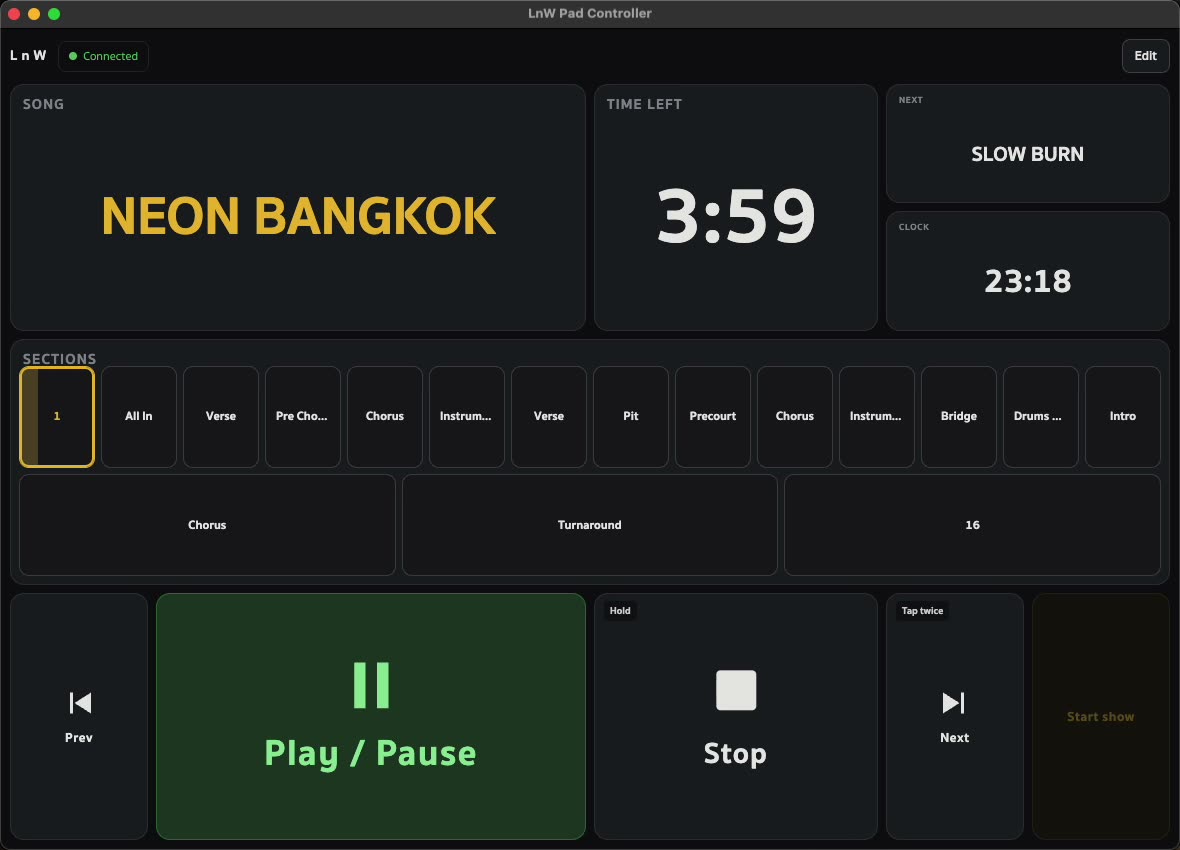
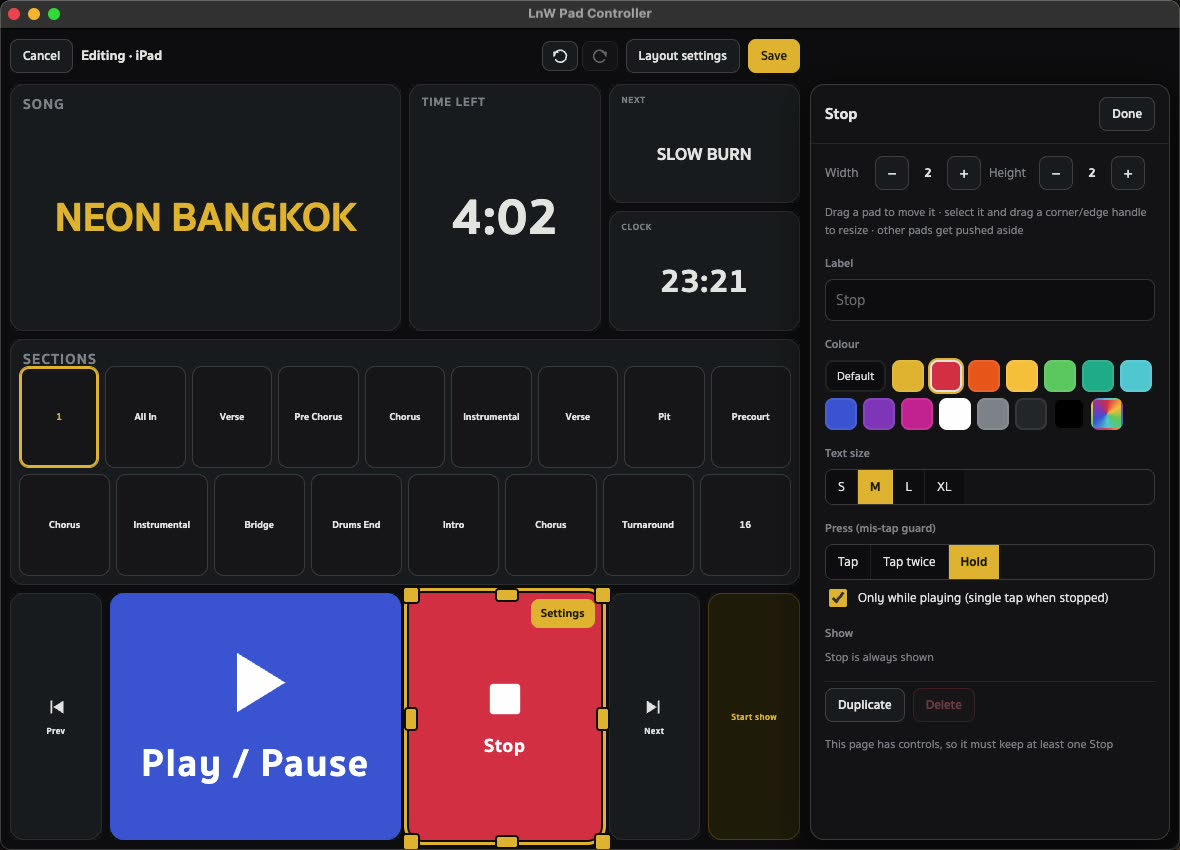
Open it in the browser of any tablet or phone on the same Wi-Fi — nothing to install. Big Play, Stop and Next, every section of the song as a pad, and the time left where you can see it. Make it yours: colours, sizes, tap or hold.
MIDIYour pedalboard follows the song
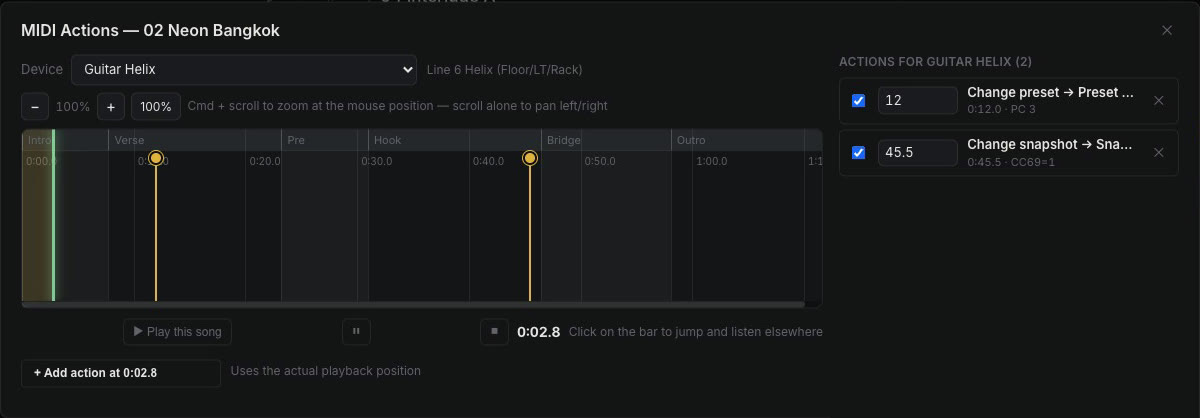
Put preset, scene or tuner changes on the song’s timeline. As the song plays, LnW Playback sends them to your guitar or bass processor right on time — even after you jump to another section.
Import StemsAdd a new song to the show
Got stems for a new song? Drag them into LnW Playback. Each file finds its track, the BPM comes from the click and the section names from the voice cue. Confirm, and every stem lands in your open Live Set.
Cloud SyncFrom your home Mac to the venue
Build the show at home, play it on another Mac. Cloud Sync sends the whole project — the Ableton set, every stem and your setlists — through a folder on your own Google Drive. On the other Mac, receive it into any folder and open the .als in Live.
Auto-Tune follows the keyUAD Auto-Tune set for every song
When a song starts, LnW sets Auto-Tune in UAD Console to the song’s key. When nothing is playing, Auto-Tune is bypassed. A key change in the middle of a song goes on the song’s timeline.
Backup MacA second Mac, in step
Run the same show on two Macs through an A/B switcher. What you press on the main Mac is passed to the backup over the network, and each Mac plays on its own — so the switcher can move to the backup if the main one fails.
Thinking of dropping Ableton on stage? LnW Standalone opens this same Live Set, and your Playback setlists, keys and Voice Cues settings come along. Your set stays untouched.
See how moving works